From photo to fridge magnet in minutes, with zero internet.
Canva stops the moment your internet slows down or drops. Photoshop needs a trained designer. Magnet Mania Studio runs fully offline on an ordinary laptop — and anyone on your team picks it up in two minutes.
No payment required. Terms & conditions apply.
- Works with zero internet
- Learn it in 2 minutes
- Handles events of any size
One A4 sheet · 12 magnets · ready to print
Why
Right now, your stall depends on good quality internet
And on finding someone who can use Photoshop. Both of those break on a busy evening.
Canva
What most stalls use today
- Problem: Needs internet for everything
- Problem: The internet slows down too much, and sometimes there is none at all
- Problem: About 5 minutes to get one sheet out
- Problem: No connection means no work at all — the queue just waits
Photoshop
The "professional" option
- Problem: Needs a trained photo editor
- Problem: That person is rare, and expensive to keep on call
- Problem: Weeks to train someone new
- Problem: If they don't turn up, the stall doesn't run
Just works
Built for exactly this job
- Benefit: Zero internet. Everything runs on the laptop
- Benefit: Two minutes to learn. Anyone on your team can run it
- Benefit: Seconds per sheet, not five minutes
- Benefit: The queue keeps moving, however bad the signal is
What you get
Everything a stall needs. Nothing to configure.
Runs with no internet
Not "works offline sometimes". There is nothing to upload and nothing to wait for. Ever.
Trained in 2 minutes
Hand the laptop to anyone on your team. A short guided practice run, and they're working.
Your work is never lost
Saves itself constantly. Power cut, closed by accident, laptop restart — your event is still there.
Six magnet sizes ready
Badges, snaps, acrylics, polaroids. Pick one when you create the event. More sizes are coming soon, and we add them on demand.
One design, every magnet
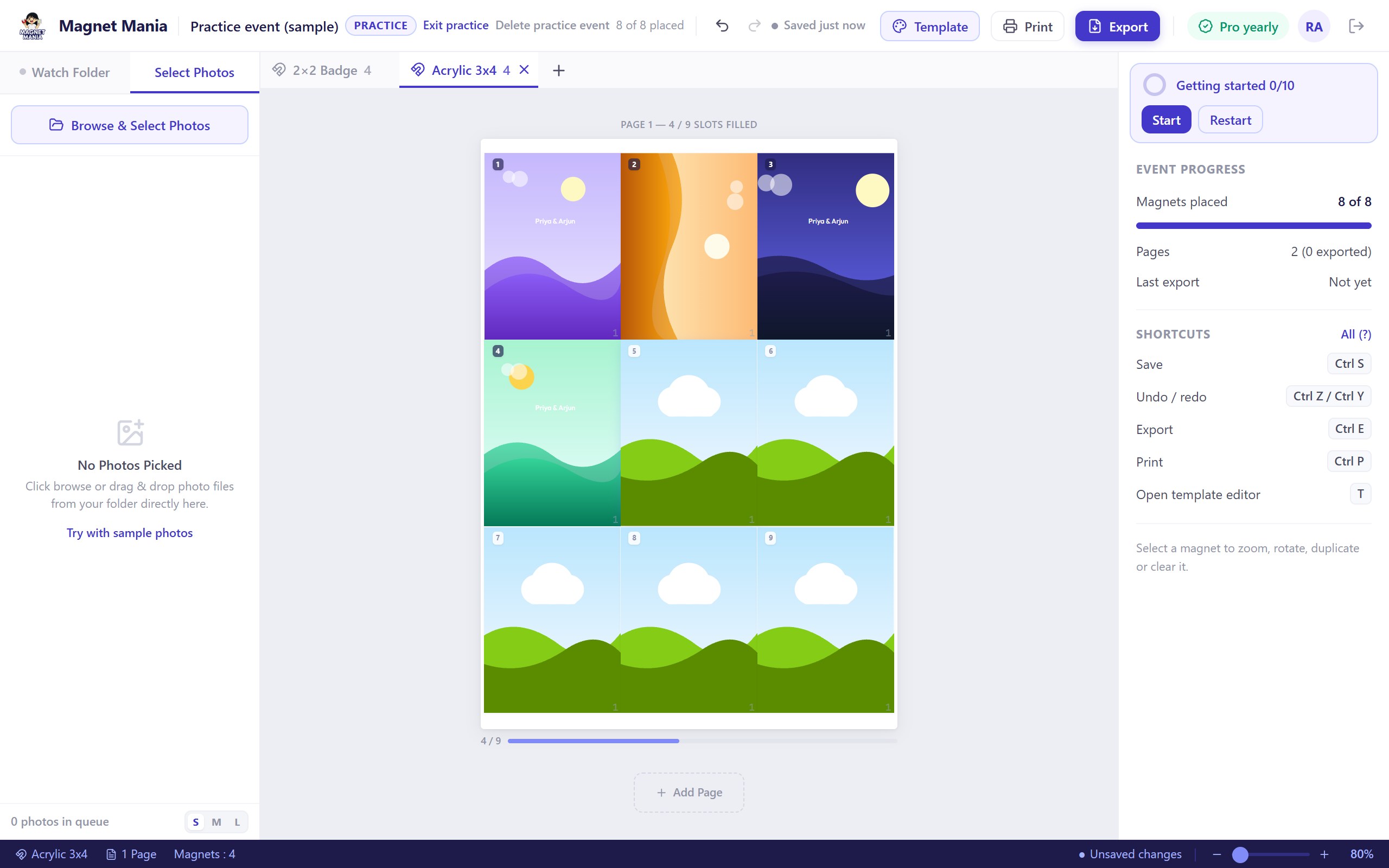
Names, logos, frames — set it up once and it applies to the whole event in a click.
Prints land right the first time
Correct size, correct spacing, cut lines where you need them. Fewer wasted sheets, fewer wasted blanks.
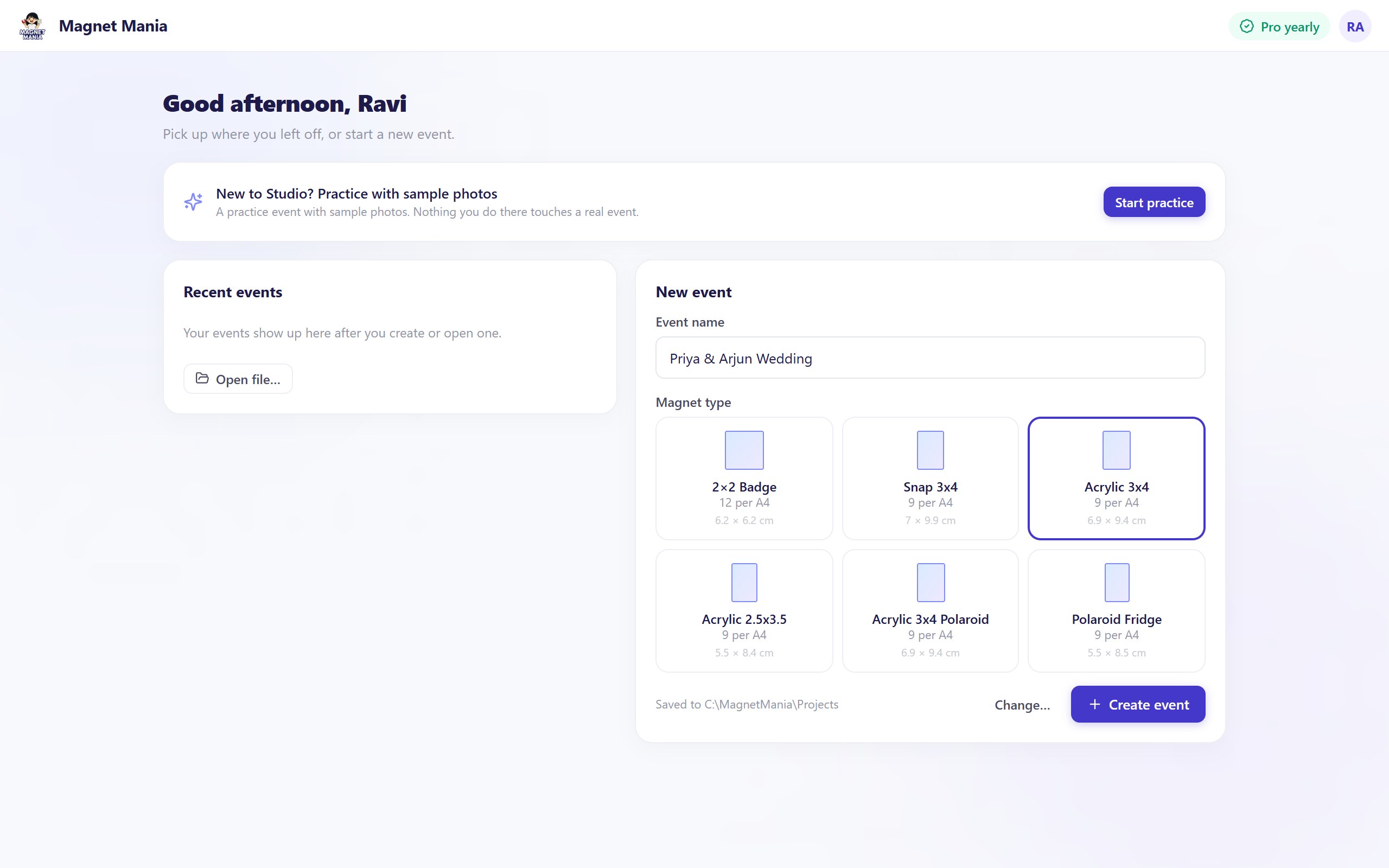
Run the whole event from one screen
Everything you need while the queue is moving
A live gallery of every photo
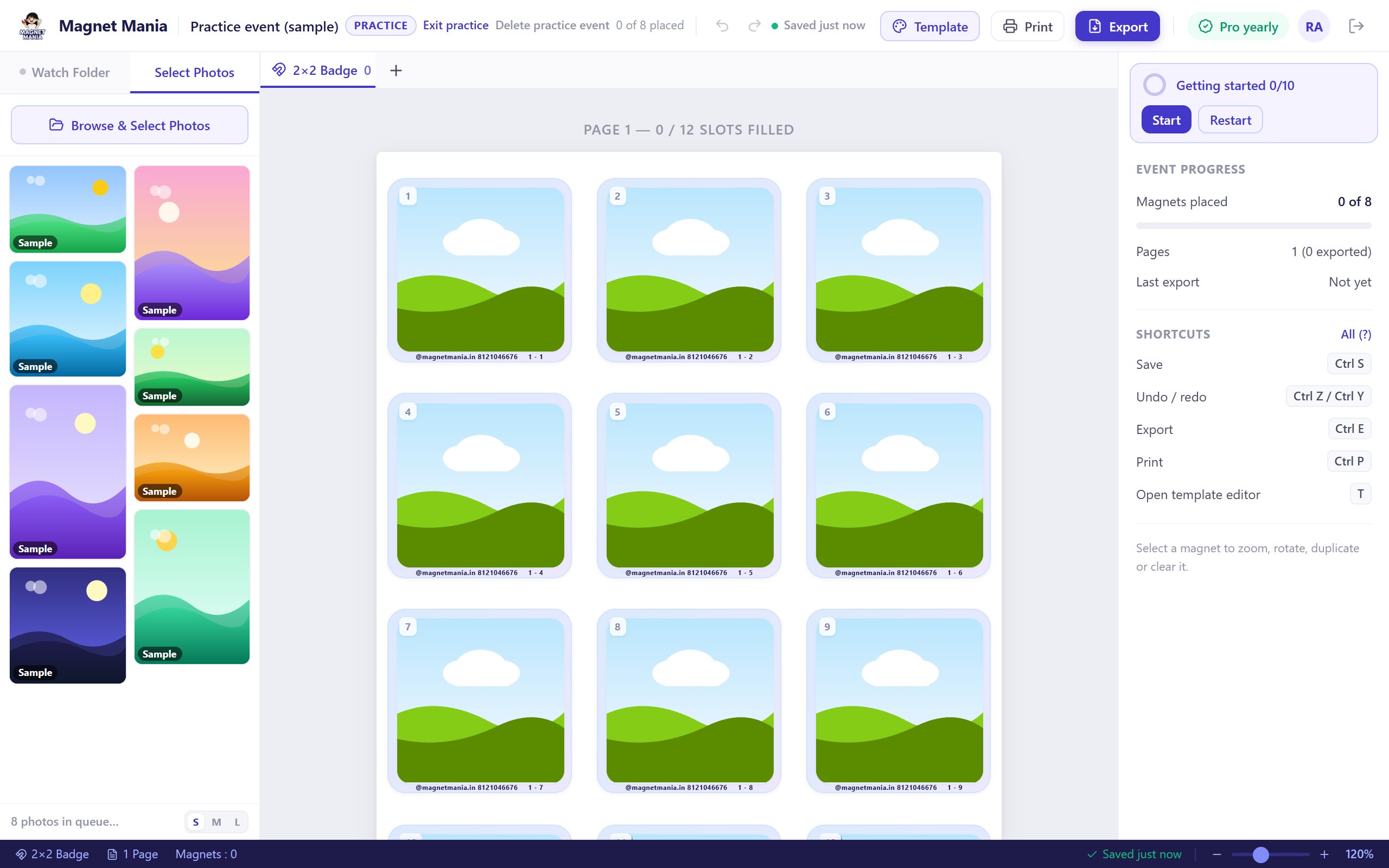
Photos appear on the left the moment they arrive. See what has been placed and what is still waiting, so nothing gets missed and nothing gets printed twice.
Know where the event stands
A live count of magnets placed, pages made and the last export sits beside the sheet. The sheet shows how many slots are filled, so you always know what is left.
Several magnet types in one project
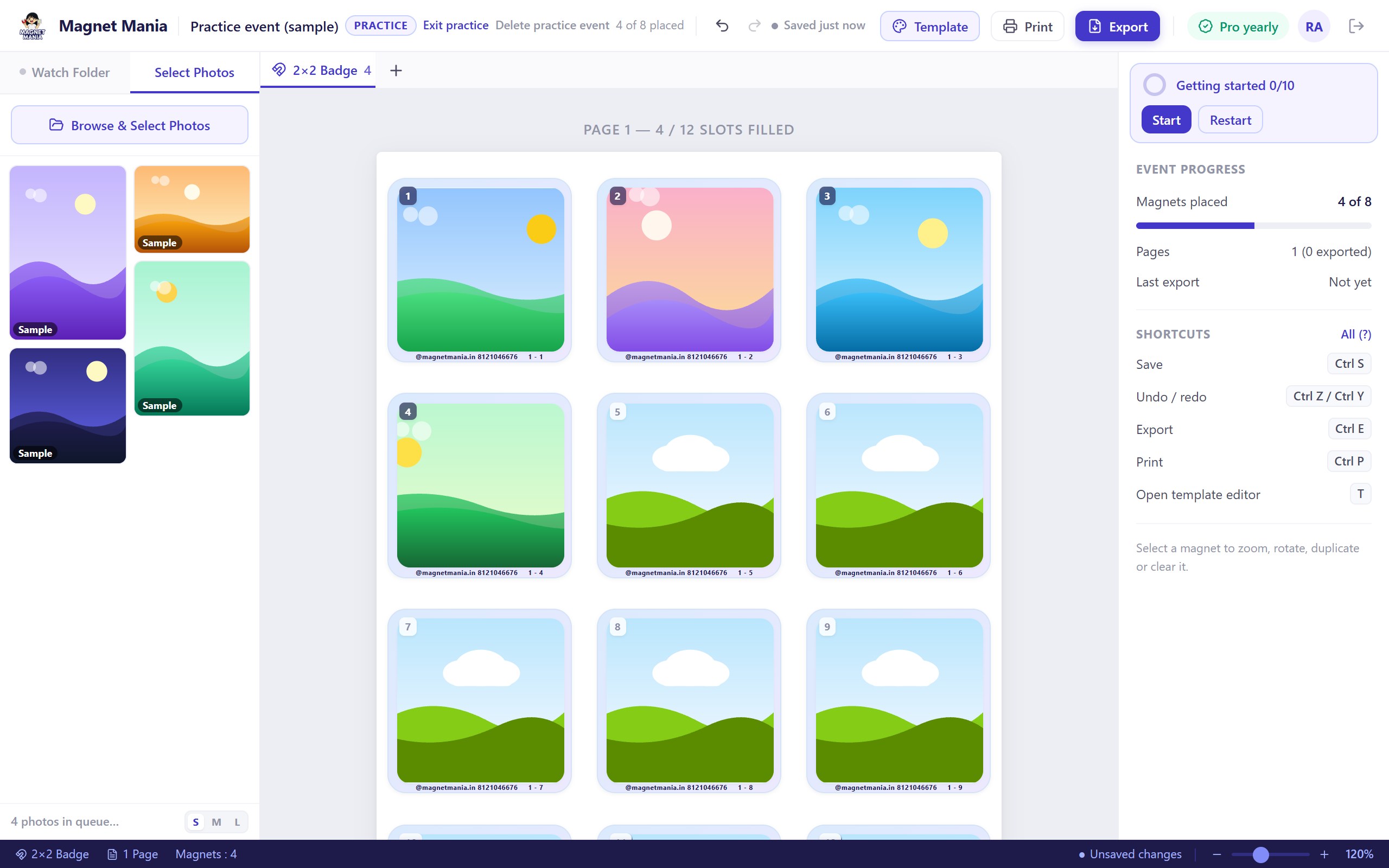
Add a tab for each magnet type, just like tabs in a browser. Badges, acrylics and polaroids for the same event live together in one project.
See it work
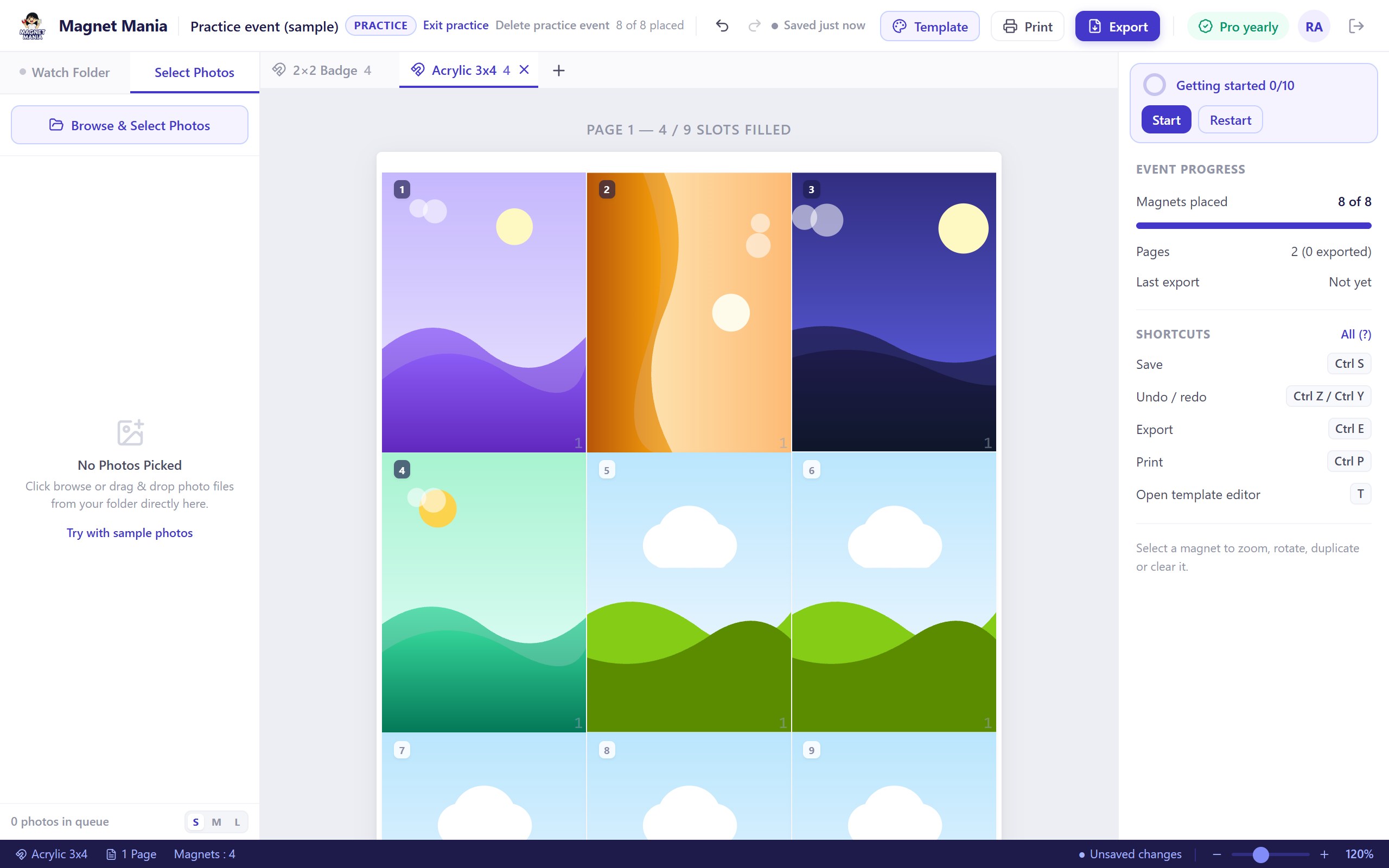
A quick look at the real app
How
Three steps. That's the whole job.
The photographer shoots and shares. Your operator clicks. The printer runs.
Photos land on their own
The photographer sends over LocalSend, ShareIt, or a cable — straight into a folder on the laptop. Studio picks them up instantly. Nothing is uploaded anywhere.
One click puts a photo on a magnet
Click a photo and it drops into the next free slot. Don't want it? One click to skip. That's the entire skill your operator has to learn.
Print the sheet and hand it over
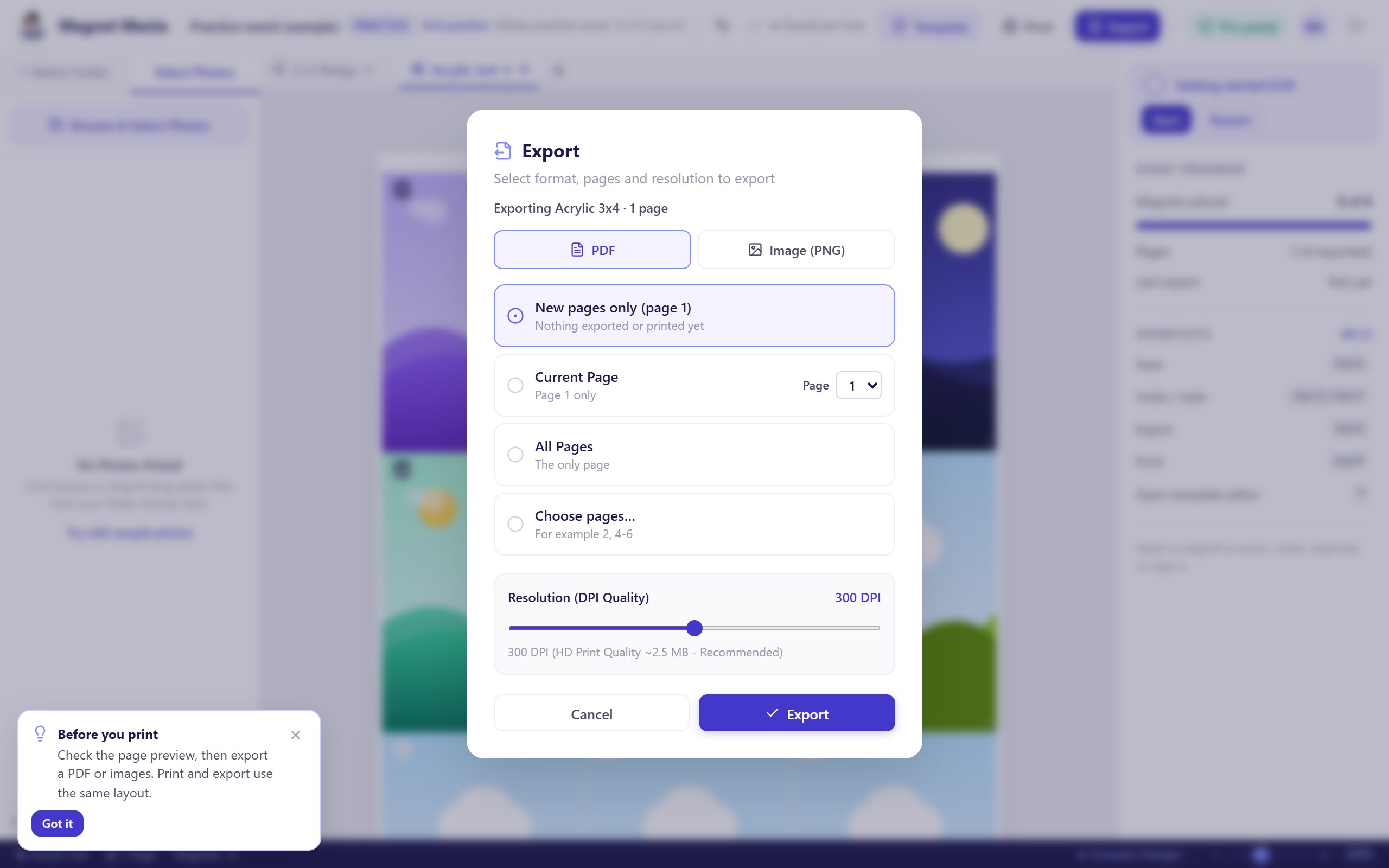
Send the sheet straight to your printer at full print quality. Studio remembers which sheets have already gone, so you never print the same one twice.
The part that saves the most time
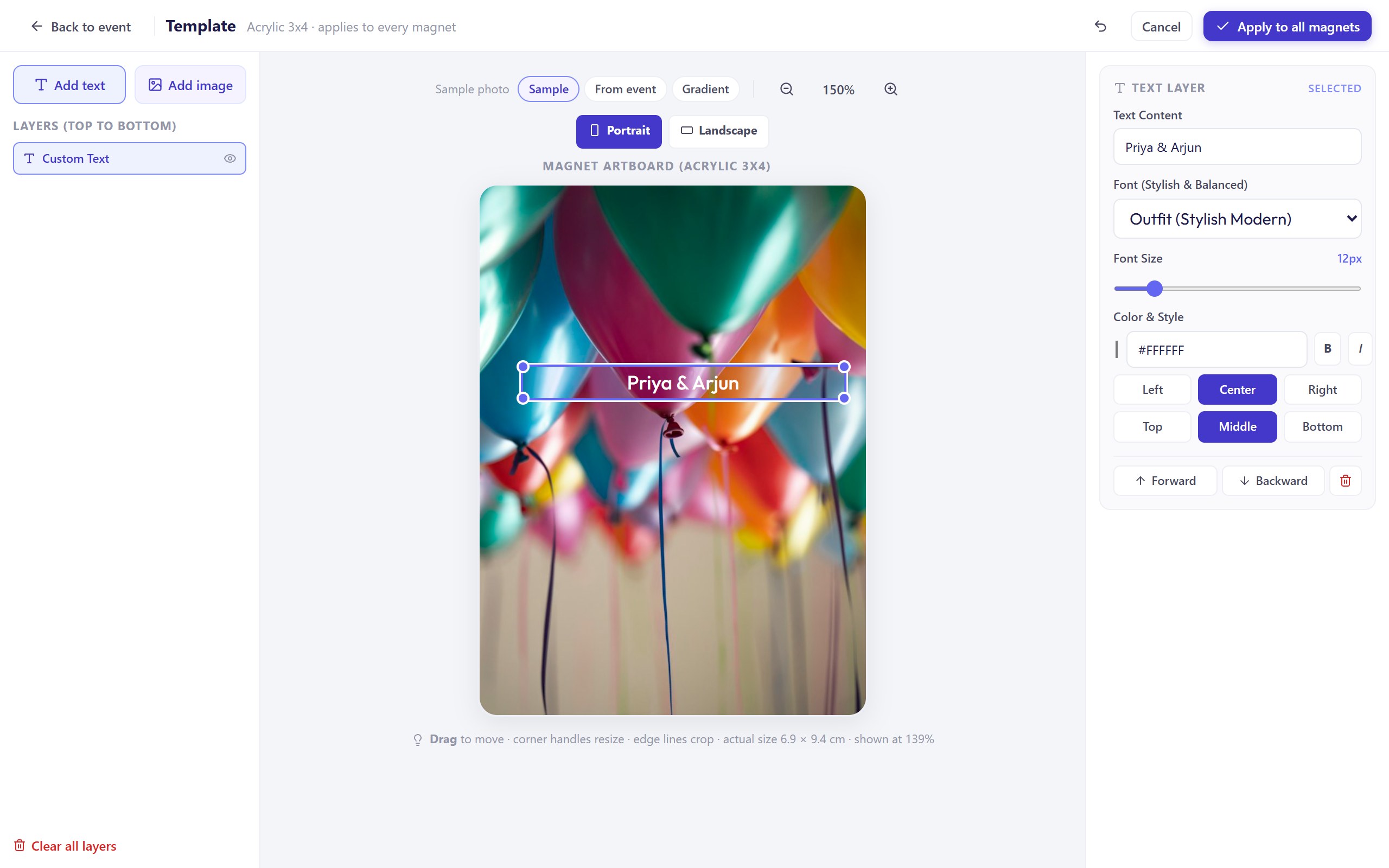
Design the magnet once. It lands on all of them.
Add the couple's names, the company logo, a frame — whatever the client asked for. One click puts it on every magnet in the event. No copying, no repeating yourself.
Built from 2 years of magnet making experience
We have been in the magnet making industry for 2 years. We know every pain point of the job, and we built Studio to make an editor's life easy. We run real events all the time, so every feature has been tested where it matters.
- 2 years in magnet making
- Tested at real events
- Built around real pain points
From our own team
Studio saves 70 to 80% of the time we used to spend in Canva, Affinity or Photoshop on every event.
Our own experience, not an independent study. Your results depend on your event and your setup.
Built for the big ones
3,000 magnets in one event — and that is just an example
Studio handles any count with ease. A 2,000 or 3,000 magnet wedding is a normal night for it, not a stress test. Scrolling stays smooth, the laptop stays cool, and the queue keeps moving.
Early access
Free now. A paid subscription after early access ends.
Early access closes on 28 December 2026. After that, Studio becomes a paid subscription.
Pricing after early access
Simple pricing, no surprises
Early access is free. When it ends, Studio is a subscription that includes timely updates and support for every bug fix.
Monthly
₹500 per month
- All features
- Regular updates
- Bug-fix support
Yearly
₹5,000 per year
- All features
- Regular updates
- Bug-fix support
- Two months free compared with monthly
Early-access users pay nothing today.
Prices are planned and may change with notice. Terms & conditions apply.
Support
We pick up, and we build what you ask for
You're on WhatsApp with a real person, not a ticket queue. And if you need a magnet size we don't have, a layout change, or something specific to how your stall runs — tell us. Where it's feasible, we build it for you.
Support during event hours
Stalls run on evenings and weekends. So do we.
Your magnet size, added
Send us the measurements and how many fit an A4 sheet.
Changes you actually need
Tell us what slows your stall down. We'll tell you honestly if we can fix it.
What's coming
Where we're taking this
Today it takes one person clicking. We're working towards a stall that mostly runs itself.
Fully automatic mode
Photos come in, magnets lay themselves out, sheets print. No one standing at the computer.
Mac support
The same app on macOS, for teams that don't run Windows.
Android & iPhone
Run the stall from a phone or tablet. Fewer things to carry to the venue.
One system, end to end
Capture, design, print and hand over — connected, so the operator's job all but disappears.
These are plans, not promises with dates attached. What's on the rest of this page works today.
Grab your early access before your next event
Download it, run the two-minute practice, and see a sheet come out. Early access closes 28 December 2026, and after that Studio is a paid subscription.
Windows 10 & 11 · no card needed · terms & conditions apply